


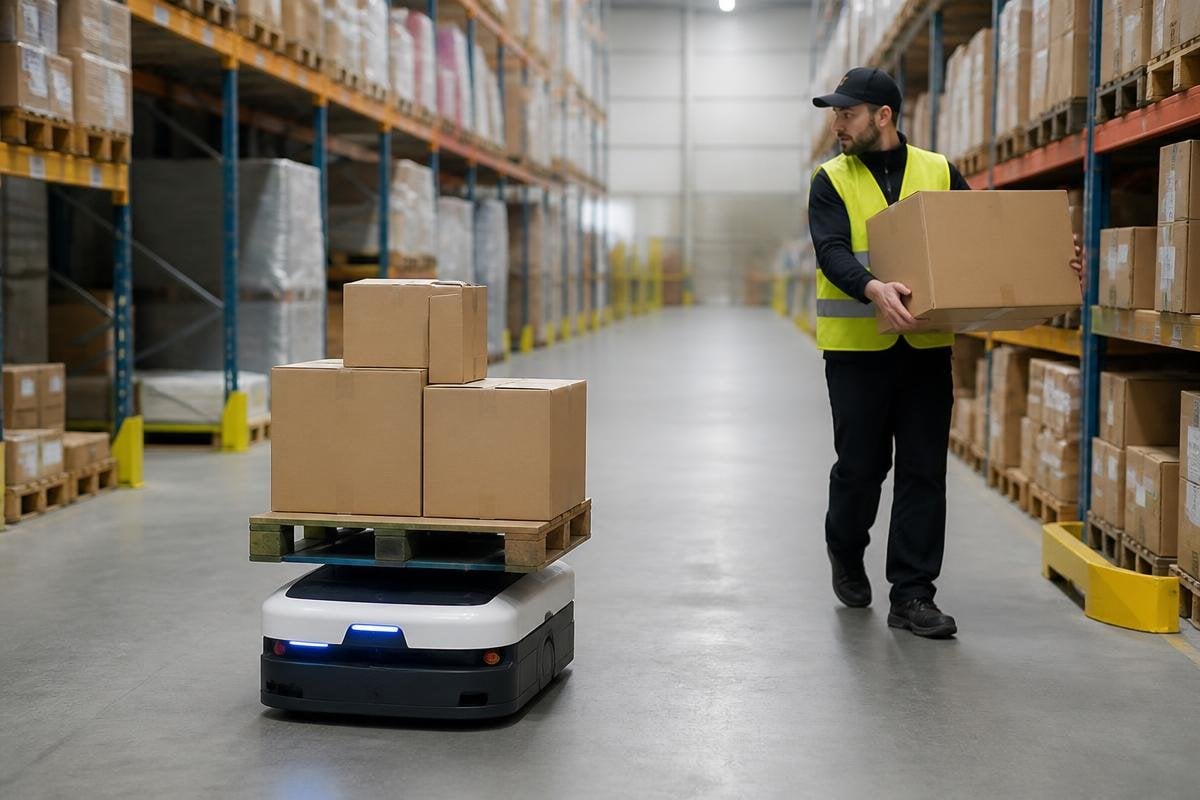
A warehouse robot may move through the same aisle as a person carrying a box, then stop within seconds when that person changes direction. The system does this through sensors, mapped routes, speed rules, and clear handoff points rather than human-like judgment.
- LiDAR and cameras watch the route
- Software sets speed and stopping zones
- People remain part of the work process
How the robot sees people
Most mobile warehouse robots use LiDAR, cameras, or both to detect objects around them. LiDAR sends out light pulses and measures the return time, which gives the robot distances to racks, pallets, walls, and people.
Cameras add visual detail. They can help the robot tell a person from a fixed object, read a marker, or check whether a loading space is open. The exact sensor mix varies by robot, so a buyer should ask what the system can detect in dust, low light, reflective wrap, and crowded aisles.
The robot does not need to know a worker’s name or job. It needs to keep a safe distance, predict whether the path is blocked, and choose an approved action. That action may be a slower speed, a stop, or a route around the person.
Why speed changes near people
A robot moving at walking speed needs less stopping distance than one moving faster. Its software can set lower speed limits near packing stations, aisle crossings, doors, and other places where people appear often.
Geofences create these zones on the warehouse map. A geofence is a virtual boundary that changes how the robot behaves inside it. A loading area might allow movement, but only at a low speed. A maintenance area might block entry until a person gives permission.
This matters to a warehouse supervisor because a robot that stops too often can slow the shift. A robot that keeps moving when a worker steps into its path creates a safety problem.
The useful measure is not the top speed on a product sheet. It is how the robot behaves around the people and objects found in your building.
How people and robots share the work
Many warehouse robots carry shelves, bins, or pallets between stations. A worker loads or unloads the robot, checks an item, or clears a damaged package. The robot handles the repeatable trip, while the person deals with tasks that need sight, touch, or a quick decision.
The handoff needs a clear design. A station may use lights, screens, buttons, or a marked floor area to show where a worker should stand and where the load belongs. If the robot stops in the wrong place, the worker loses time and may reach into a moving area.
Remote help is another part of the system. When the robot meets a blocked route or an object it cannot classify, software may ask a remote operator to review the situation. That does not remove the need for local safety controls. A network delay cannot be allowed to decide whether a robot stops near a person.
A stop command is only one part of warehouse safety. Speed limits, sensor placement, robot spacing, and test conditions all affect how a machine behaves near staff. Warehouse robotics reporting from Robot24.com can tie those details to named machines and real deployments, so the safety rules have something solid to measure.
What the safety rules cover
A vendor should explain which safety standards apply to the robot, its charging area, and the warehouse process around it. ISO 3691-4 covers driverless industrial trucks and their systems. ISO 10218 covers industrial robot safety, though the right standard depends on the machine and task.
Safety also depends on the building. Blind corners, uneven floors, narrow aisles, poor lighting, open loading doors, and people wearing headphones can change how the system performs. A site survey should test those conditions before a fleet enters daily work.
I’d choose a slower robot with clear stop behavior over a faster model that needs workers to stay out of its way. The price of delay is easy to measure; the cost of a poor safety design reaches much further.
A buying and safety checklist
Before a pilot, ask the vendor to:
- Show the robot stopping for a person who crosses its route
- State the stopping distance at each allowed speed
- Mark every low-speed, no-entry, and pedestrian crossing zone
- Explain what happens after a sensor fault or network loss
- Test the busiest aisle during the busiest shift
- Name the standard used for the robot and its safety controls
The answers should become part of the site plan, training material, and acceptance test. A written speed limit means little if the floor map sends the robot through a doorway where workers carry loads by hand.
Autonomous robots can share warehouse space with human staff when their limits are designed into the work area. The next useful question is specific to your site: can the robot keep safe stopping behavior when the aisle is busy, the load is awkward, and the network is slow?